 Featured: Chess
How to Play Battleship: Rules, Strategy and How to Win
To play Battleship, each player secretly places five ships on a 10 by 10 grid, then you take turns calling one square at a time to fire at the other fleet. Every shot is a hit or a miss, and the first player to sink all five enemy ships wins.
Winning takes a plan, though. This guide covers the rules, ship sizes, where to hide your fleet and the search strategy strong players use, with numbers from our own simulations.
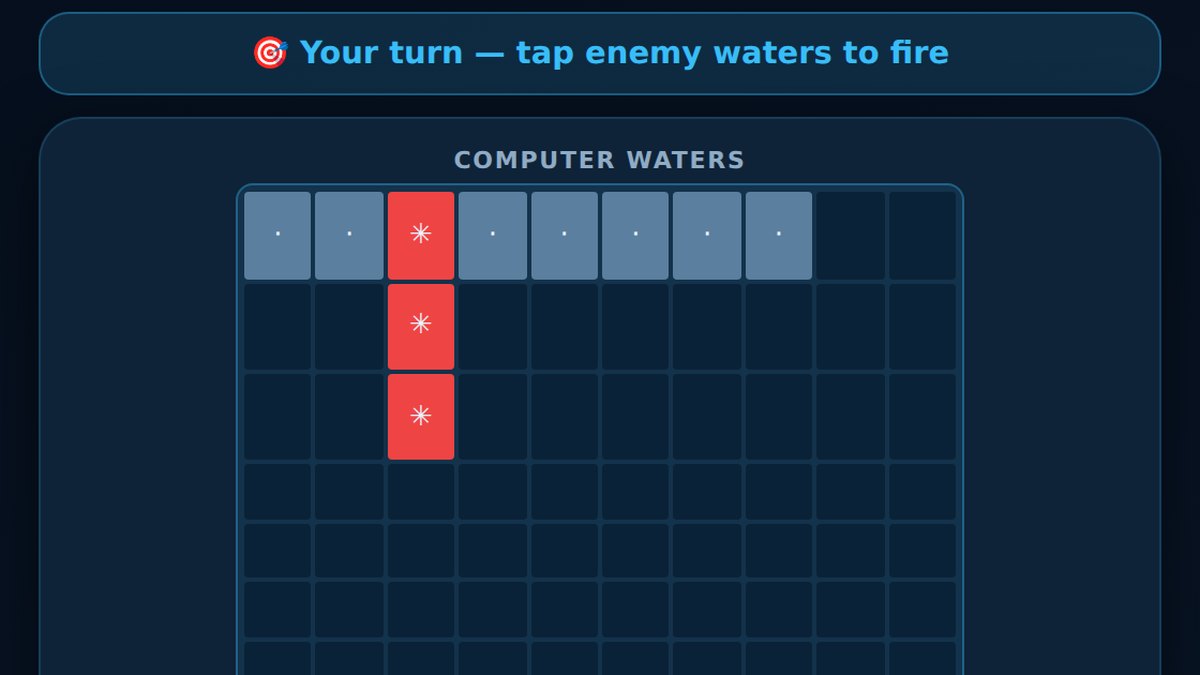 Play Battleship freePlay the computer on Easy, Normal or Hard, or send a friend a room code. No download.Play now
Quick summary
- Each player hides five ships (sizes 5, 4, 3, 3 and 2) on a 10 by 10 grid, then you take turns firing one shot at a time.
- A shot is a hit or a miss. Hit every square of a ship to sink it, and sink all five ships to win.
- Search in a checkerboard pattern, then switch to hunt and target mode the moment you score a hit.
- On OnlineGames2Play you can play the computer on three levels or a friend online with a private room code.
What is Battleship?
Battleship is a two player guessing and strategy game about a hidden naval battle. It began as a pencil and paper game, later became a famous boxed board game and is also known as Sea Battle or Battleships. You cannot see your opponent's fleet, so every shot is a question and every hit or miss is a clue.
Experienced players beat beginners again and again because they search with a system instead of firing at random. You will learn that system below, and you can try it straight away in our free Battleship online game.
Battleship rules, step by step
The board
Each player has two grids of 10 rows and 10 columns. Rows are lettered A to J and columns are numbered 1 to 10, so every square has a name such as B7 or J10. One grid holds your own fleet. The other grid, often called the target grid or enemy waters, is where you track your shots at the opponent.
The ships
Every player gets the same fleet of five ships:
| Ship | Size in squares | How many |
|---|---|---|
| Carrier | 5 | 1 |
| Battleship | 4 | 1 |
| Cruiser | 3 | 1 |
| Submarine | 3 | 1 |
| Destroyer | 2 | 1 |
That is 17 squares of ship hidden somewhere among 100 squares, so a completely random shot hits only 17 percent of the time at the start of the game.
Placing the fleet
- Ships go in a straight line, either across or down. Diagonal ships are not allowed.
- Ships can never overlap, and every square of a ship must be on the board.
- Ships may touch each other in the standard rules and in our online game.
- Once the battle starts, ships cannot move.
Taking turns
- Decide who fires first. Online, the game chooses, and players take turns going first in every rematch.
- On your turn, call one square, such as E5.
- Your opponent answers hit if that square holds part of a ship, or miss if it is open water.
- When every square of a ship has been hit, the owner announces that the ship is sunk and says which one it was.
- The turn passes to the other player. In the classic game you get one shot per turn, whether it hit or not.
How to win
The first player to sink all five enemy ships wins, so a smarter search pattern really does decide the result.
How to place your ships
Your goal is to make your fleet take as many shots as possible to find.
- Spread the fleet out. If your ships are bunched together, one lucky hit leads your opponent straight to a second ship.
- Avoid neat patterns. All ships along one edge, a tidy diagonal staircase or every ship pointing the same way are the first things an experienced player checks.
- Do not crowd the center either. The middle squares are where a smart opponent fires first, because ships fit through the middle in the most ways. A few ships near the edges, mixed with a few inside, is hard to read.
- Use touching ships as a trick. Two ships side by side can confuse a player who is following a line of hits, because the line seems to keep going after the first ship sinks.
In our game, tap Rotate to switch a ship between across and down, or Random for an instant fleet.
Battleship strategy: how to find ships faster
Strong players switch between two modes. In hunt mode they search open water for a new ship. In target mode they finish off a ship they have already hit. Each mode has its own rules.
Hunt and target
The moment you score a hit, stop searching elsewhere. Fire at the four squares next to the hit: above, below, left and right. Once you get a second hit, you know which way the ship lies, so keep firing along that line in both directions until the game tells you the ship is sunk. Only then go back to hunting.
If a line of hits gets longer than the ship that sank, you have found two touching ships. Go back to the squares beside the line to find the second one.
Search in a checkerboard pattern (parity)
Imagine the board colored like a chessboard. The smallest ship, the Destroyer, covers two squares in a row, and any two neighboring squares are always different colors. That means every ship covers at least one square of each color. So while hunting, you only need to fire at one color. That is 50 squares instead of 100, and you will still find every ship.
Once the Destroyer is sunk, the smallest ship left is three long, and you can spread your hunting shots even wider, roughly one square in every three along each row.
Think in probabilities
Ships fit through the middle of the board in many more ways than through a corner. A corner square can be covered by the Carrier in only 2 positions (one across, one down), while a central square such as E5 can be covered in 10. Early in the game, center squares are simply more likely to hold a ship. Expert players count, for every open square, how many ways the remaining ships could still fit through it, and then fire at the highest count. Our Hard computer opponent plays exactly this way.
How much does strategy help?
We ran 4,000 simulated games against random fleets to see how many shots each method needs to sink all five ships:
| Search method | Average shots to win |
|---|---|
| Random shots every turn | about 95 |
| Random hunting plus hunt and target | about 66 |
| Checkerboard hunting plus hunt and target | about 61 |
Simply following up your hits saves around 30 shots, and the checkerboard trick saves a few more. Probability counting pushes the number lower still.
Adjust as ships sink
Keep an eye on which ships are left. If only the Carrier remains, a gap of four open squares between misses cannot hold it, so skip it. Late in the game the leftover gaps often show exactly where the last ship must be.
How to play Battleship online with friends
You do not need a board or paper to play a friend. Our free version runs in any modern browser on phones, tablets and computers, and each player uses their own device:
- Open Battleship and choose Play a friend.
- Type your name and create a room. You get a six letter room code and an invite link.
- Send the code or link to your friend by text, chat or email. They join from their own phone or computer.
- When you are both in, the host starts the game and each player places a fleet in secret.
- Take turns firing. Every shot appears live on both screens, and the last shot is always highlighted.
A 30 second shot clock keeps the game moving. If time runs out, a random shot is fired for you. When the battle ends, both fleets are revealed so you can see how close it really was, and in each rematch the other player fires first. There is no download and no account.
Practice against the computer
When nobody is around, choose vs Computer and pick a level:
- Easy fires at random. It is great for kids and for learning the board.
- Normal hunts around every hit until the ship sinks, much like a casual human player.
- Hard works out where your remaining ships can still fit and aims at the most likely square every turn. It is the best test of your fleet placement.
If you enjoy reading your opponent, try Connect Four or Checkers next, or browse every free board game on the site.
Frequently asked questions
How do you play Battleship step by step?
Each player secretly places five ships on a 10 by 10 grid. Then you take turns calling one square on the enemy grid, and your opponent answers hit or miss, or sunk when a ship's last square is hit. The first player to sink the whole enemy fleet wins.
What are the five ships in Battleship and their sizes?
The standard fleet is a Carrier of 5 squares, a Battleship of 4, a Cruiser of 3, a Submarine of 3 and a Destroyer of 2. That makes 17 squares to find out of 100.
Do you get another shot after a hit in Battleship?
Not in the standard game. You fire one shot per turn whether it hits or misses. Some families play a house rule that gives an extra shot after a hit, but our online version uses the classic one shot per turn rule.
What is the best strategy to win Battleship?
Search the board in a checkerboard pattern, because even the smallest ship covers two squares and must sit on one of those squares. When you score a hit, test the four squares around it, then keep firing along the line until the ship sinks. In our simulations this cut the average from about 95 shots to about 61.
Can ships touch each other in Battleship?
In the classic rules and in our online game, ships may touch but can never overlap, and they must lie in a straight line across or down. Some house rules ban touching ships, so agree on it before a paper game.
How do I play Battleship online with a friend?
Open Battleship on OnlineGames2Play, choose Play a friend, enter your name and create a room. Send your friend the six letter room code or the invite link. You each place your fleet on your own device, then take turns firing, with a 30 second shot clock so nobody can stall.
Looking for more? Browse all our board games, read more guides on the OnlineGames2Play blog or head back to the free online games homepage.
Ready? Play Battleship free nowPlay the computer on Easy, Normal or Hard, or send a friend a room code. No download.Play now